Graphs 101: A Simple Visual Introduction
1. What is a Graph?
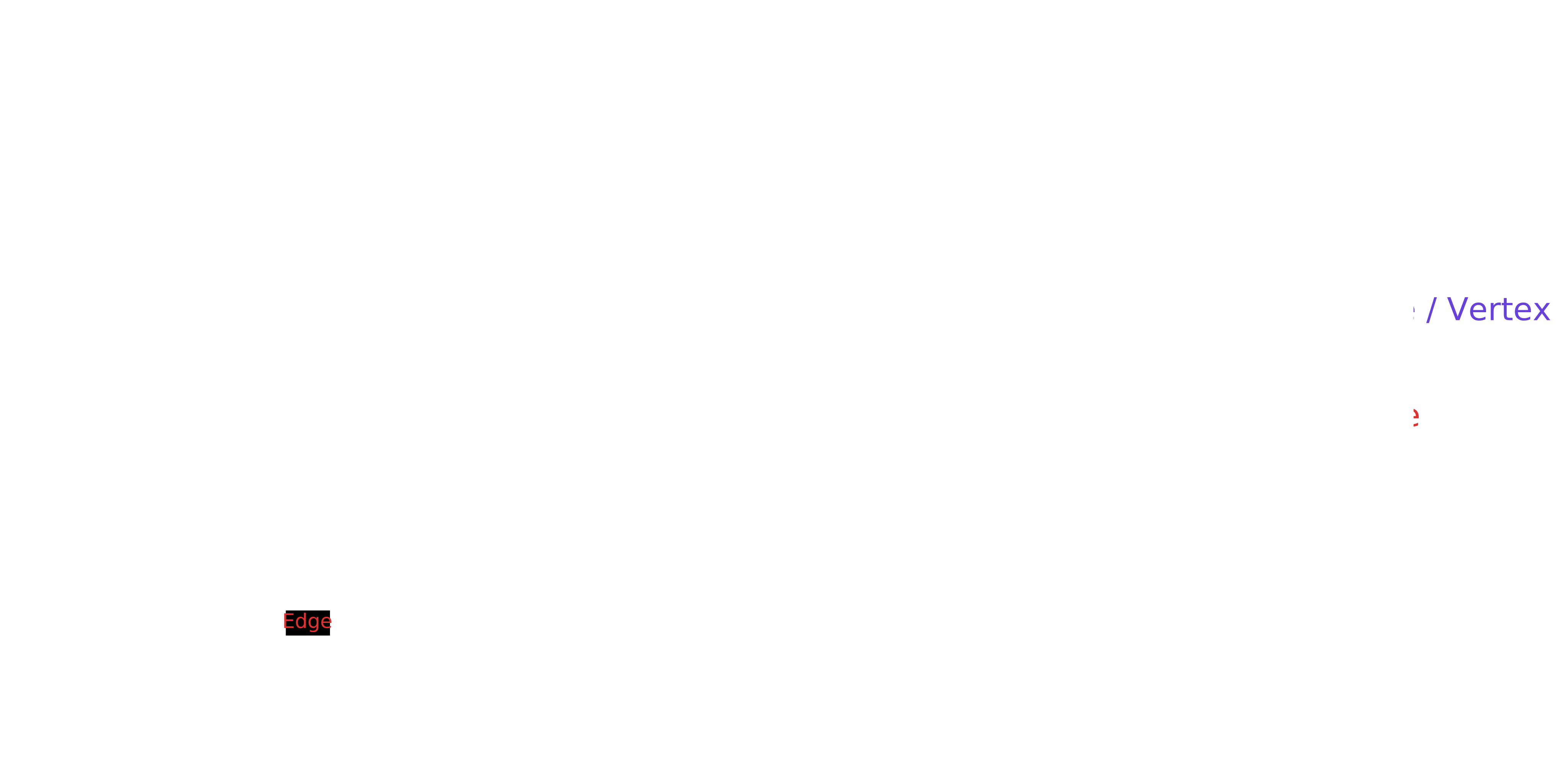
A graph is a non-linear data structure that represents relationships. It is made up of nodes (or vertices) and edges that connect them.
2 Types of Graphs
2.1 Directed vs Undirected
-
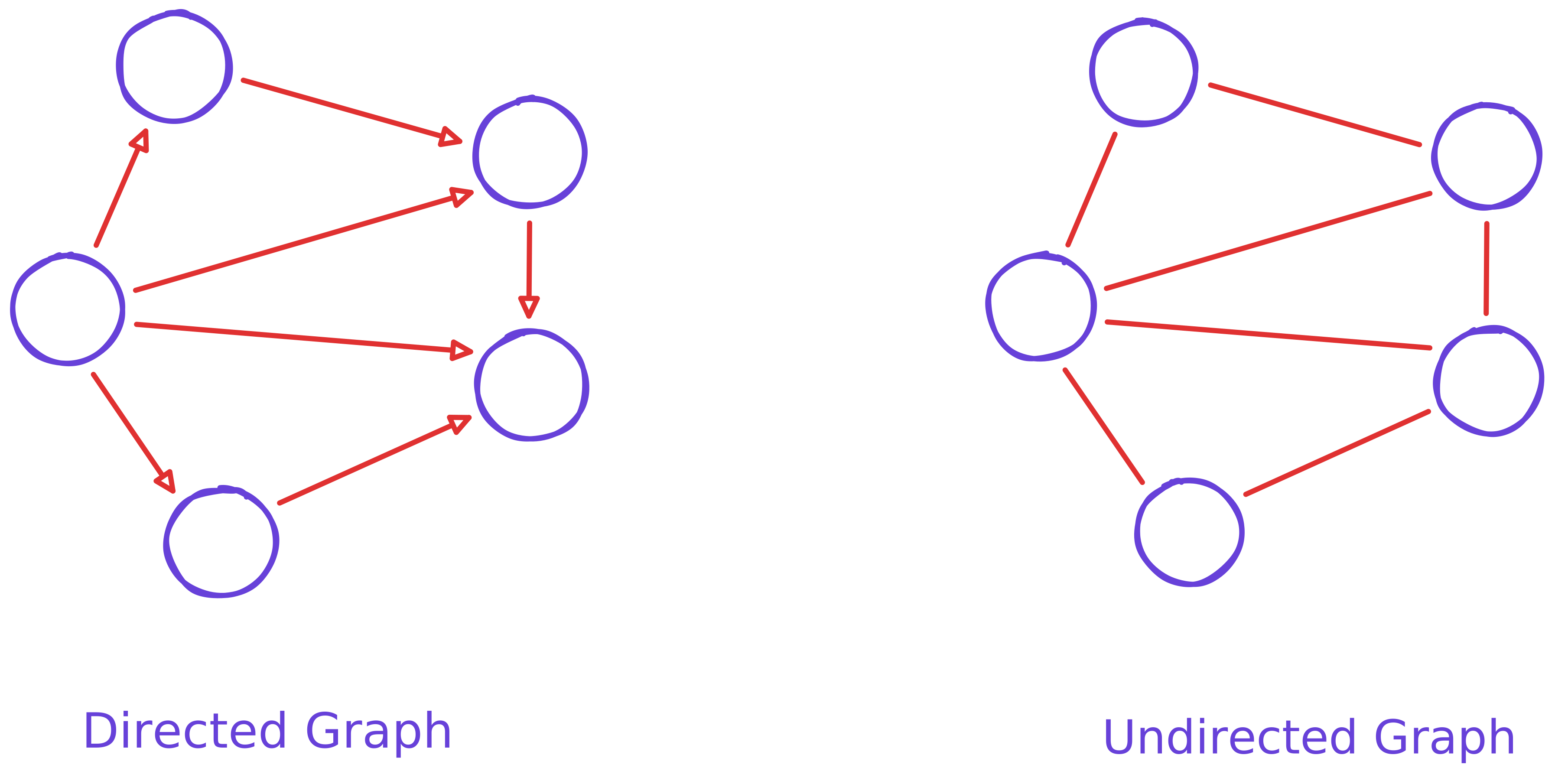
A directed graph has edges that point in one direction. It shows a one-way relationship
(A → B). -
An undirected graph has edges without direction. It shows a two-way or mutual relationship
(A — B).
| Type | Meaning |
|---|---|
| Directed | One-way |
| Undirected | Two-way |
2.2 Weighted vs Unweighted
-
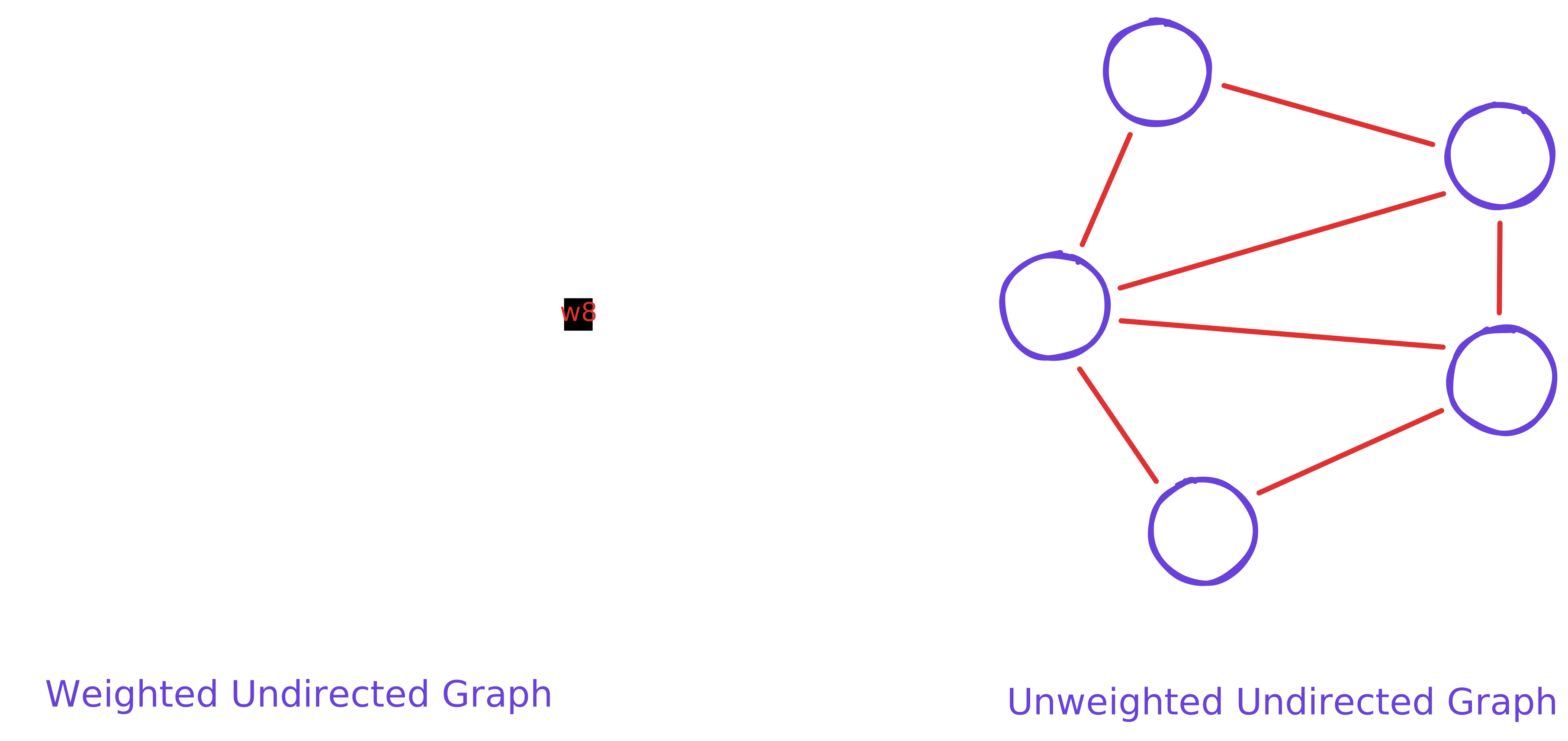
A weighted graph has numbers (weights) on its edges. These weights can represent distance, cost, time, or anything measurable.
-
An unweighted graph treats all edges as equal. There is no concept of distance or cost between nodes.
| Type | Meaning |
|---|---|
| Weighted | numbers on edges |
| Unweighted | all edges equal |
2.3 Cyclic vs Acyclic
-
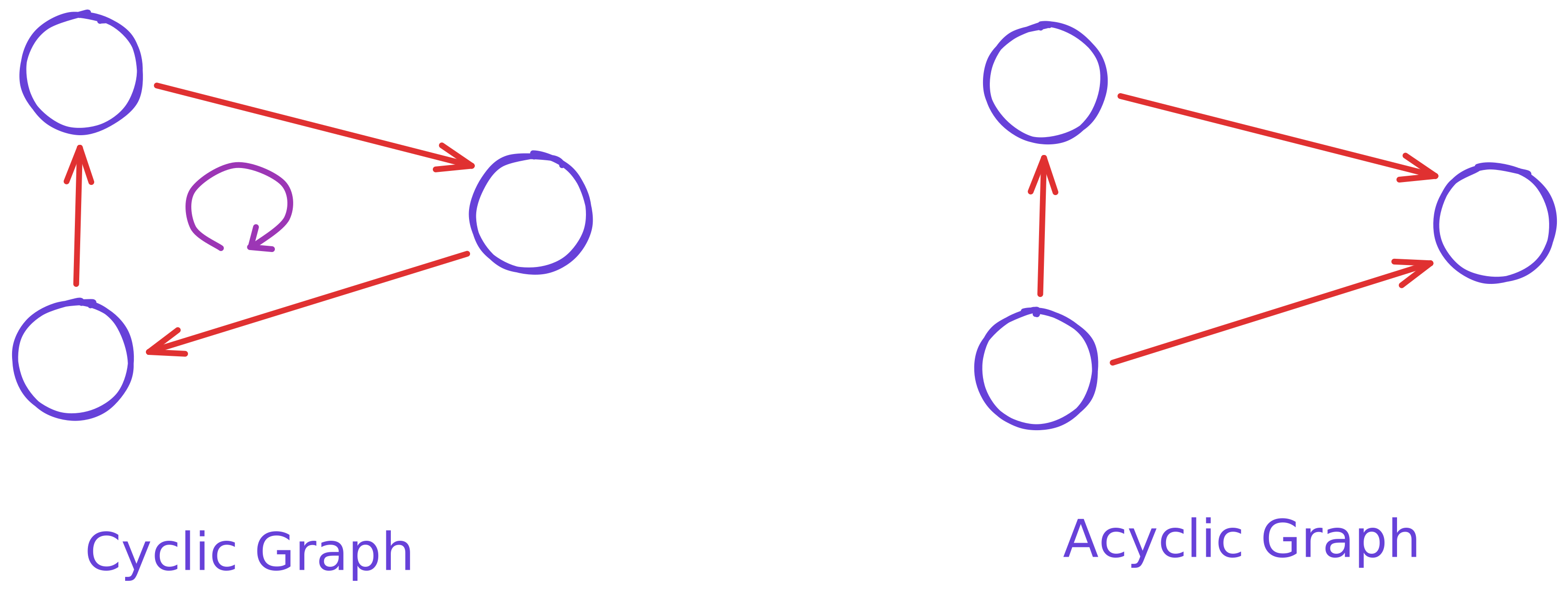
A cyclic graph has at least one cycle. A cycle means you can start at a node, follow edges, and come back to the same node.
-
An acyclic graph has no cycles. You can never return to the starting node by following the edges.
| Type | Meaning |
|---|---|
| Cycle | loop |
| Acyclic | no loops |
2.4 Connected vs Disconnected
-
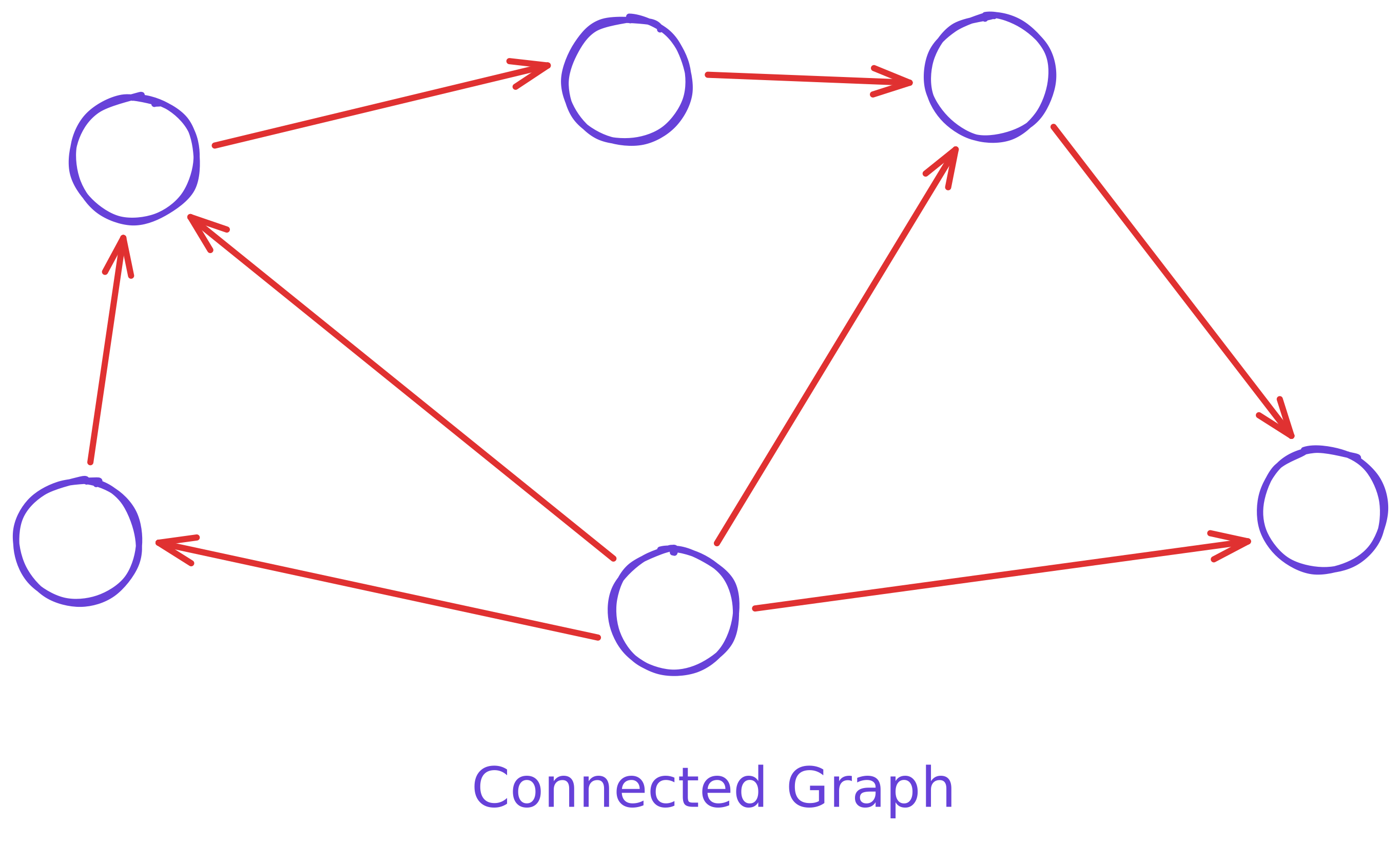
A connected graph has all nodes reachable from one another. There is a path between every pair of nodes.
-
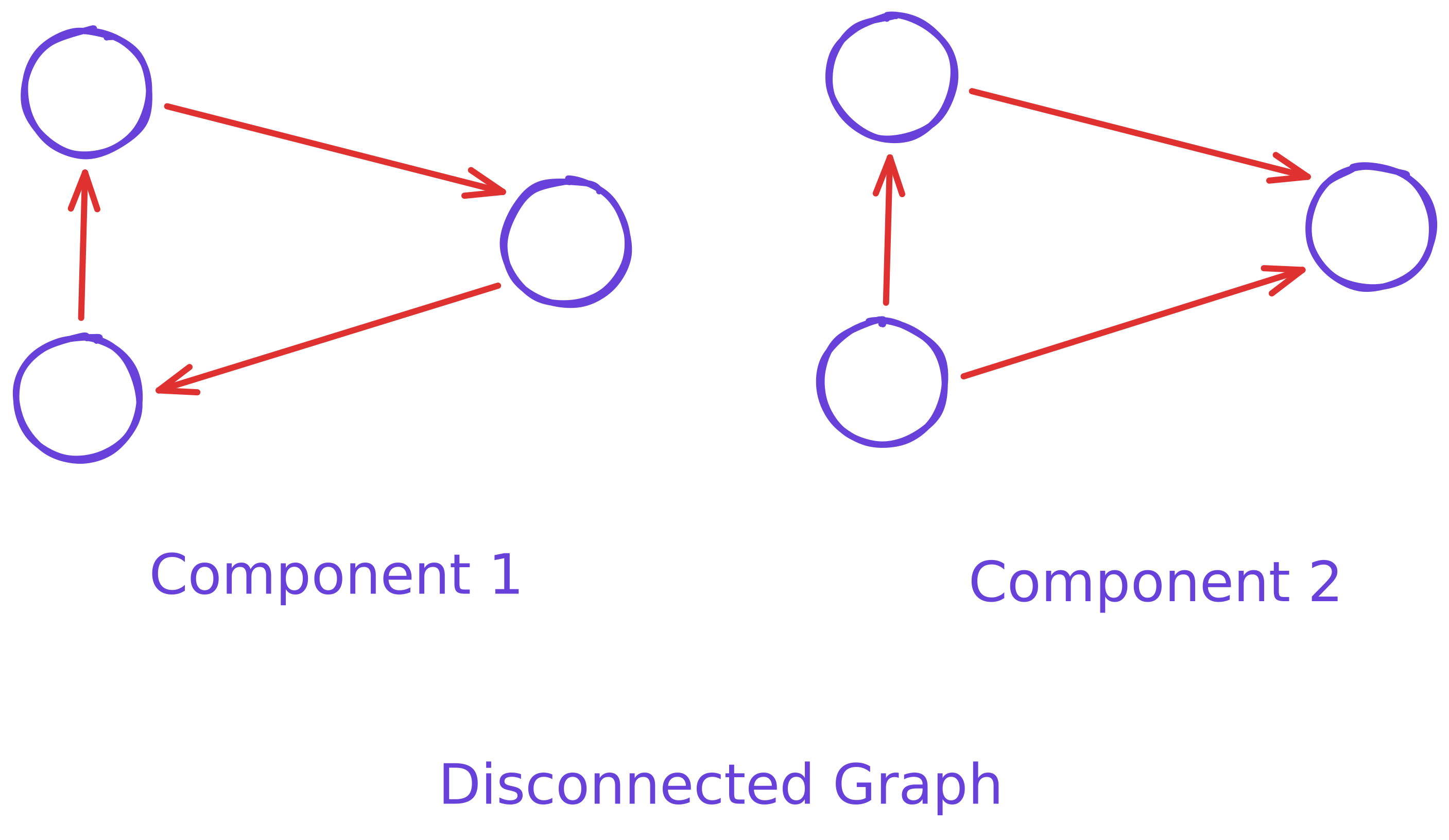
A disconnected graph has some nodes or groups of nodes that cannot be reached from others. It has separate components.
| Type | Meaning |
|---|---|
| Connected | everything linked |
| Disconnected | some parts isolated |
3. How Graphs Are Represented
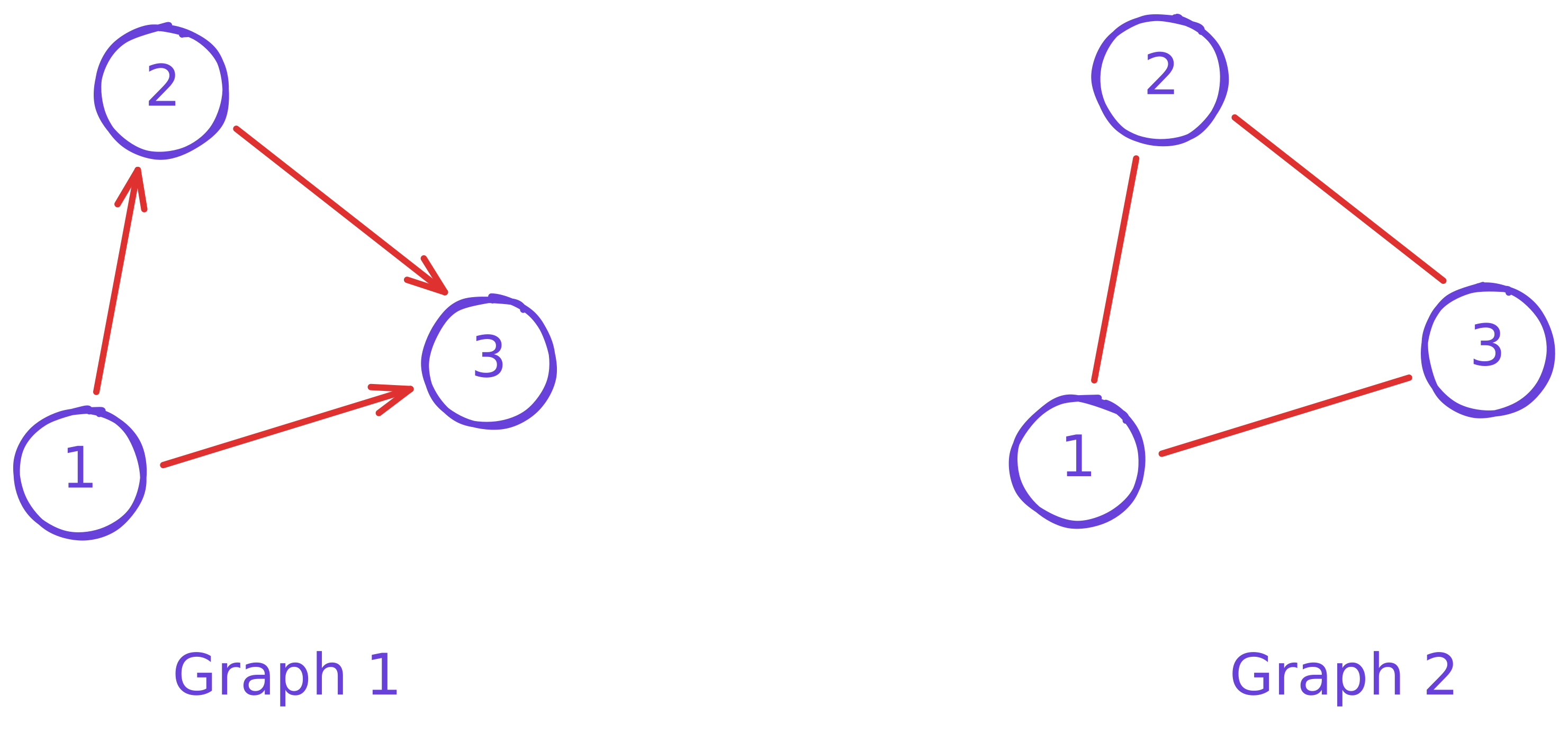
When working with graphs in code, we usually represent them in two common ways:
- Adjacency List
- Adjacency Matrix
Both store the same graph, but they focus on different things.
Let's look at them using two simple examples: a directed graph and an undirected graph.
3.1 Adjacency List
| Example 1: Directed Graph (Graph1) | Example 2: Undirected Graph (Graph2) |
|---|---|
Nodes: 1, 2, 3 | Nodes: 1, 2, 3 |
When to use Adjacency List?
- Graph has many nodes but fewer edges
- You want efficient traversal (BFS, DFS)
- You want to store real-world networks (maps, social networks, etc.)
3.2 Adjacency Matrix
An adjacency matrix is a 2D grid (N * N) where:
-
1means an edge exists -
0means no edge
It is easy to read but uses more memory.
| Example 1: Directed Graph (Graph1) | Example 2: Undirected Graph (Graph2) |
|---|---|
Nodes: 1, 2, 3 | Nodes: 1, 2, 3 |
When to use Adjacency Matrix?
- Graph is dense (lots of edges)
- You need constant-time edge lookup
- Useful in algorithms like Floyd-Warshall
3.3 Quick Summary
- Adjacency List: stores neighbors, memory efficient
-
Adjacency Matrix: grid of
0/1values, fast edge lookup - Both describe the same graph but focus on different things
4. Real World Uses of Graphs
Graphs show up almost everywhere in real systems. They are used any time we want to model how things are connected. Some common examples include:
- Social networks: users are nodes, friendships or follows are edges.
- Maps and GPS routing: locations are nodes, roads are edges.
- Recommendation systems: products or movies are nodes, similarity links are edges.
- Computer networks: devices are nodes, connections between them are edges.
- Dependency graphs: files, modules, or tasks are nodes with edges showing what depends on what.
- Knowledge graphs: represent real world entities and their relationships.
Graphs are powerful because they can represent many types of relationships using a simple structure.
5. What Comes Next
This was a simple introduction to what graphs are and how we represent them.
In the next posts, I will go deeper into how we actually work with graphs in practice.
Some topics I will cover next:
- Basic graph traversals (BFS and DFS)
- Trees and how they relate to graphs
- Shortest path algorithms
- Topological sorting
- Real examples of graph problems
This is just the starting point. As I learn and practice more graph algorithms, I will keep sharing my notes here.